The short version
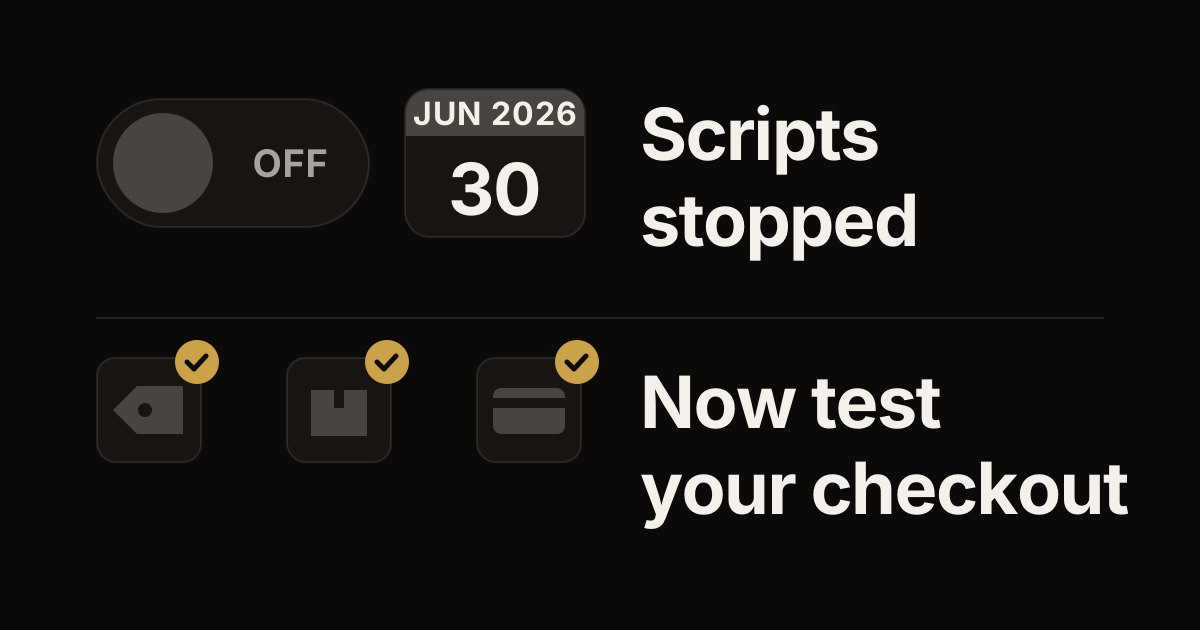
- Shopify Scripts stopped running on June 30, 2026. Scripts were small pieces of code that changed prices, discounts, shipping options and payment options in the cart and at checkout. Their replacement is Shopify Functions, small programs that run inside Shopify's checkout.
- First check Shopify's built-in automatic discounts: a percentage off, a fixed amount off, free shipping, or buy X get Y. If one fits your promotion, use it. It takes no developer time and shows up cleanly in Shopify's reports.
- A Discount Function is for promotions the built-in discounts can't express. Think buy-one-get-one with special rules, tiered pricing or mix-and-match bundles. Its bugs are predictable: the wrong item discounted, a discount that applies once when the cart qualifies twice, or discounts stacking when they shouldn't.
- Still moving off Scripts? List every Script, then rebuild and test each one. Talk to us, or see our app development services.
Did your Plus store run its discounts through Scripts? That covers a BOGO (buy one, get one), tiered pricing, custom bundles or a gift with purchase. Those discounts stopped on June 30, 2026, when Scripts stopped running. Editing and publishing them had ended on April 15. You've moved them, you're moving them now, or you're finding out at checkout that they no longer work. Functions are the replacement, and have been since 2022. If you run the store rather than write its code, start with what to check now that Scripts have stopped.
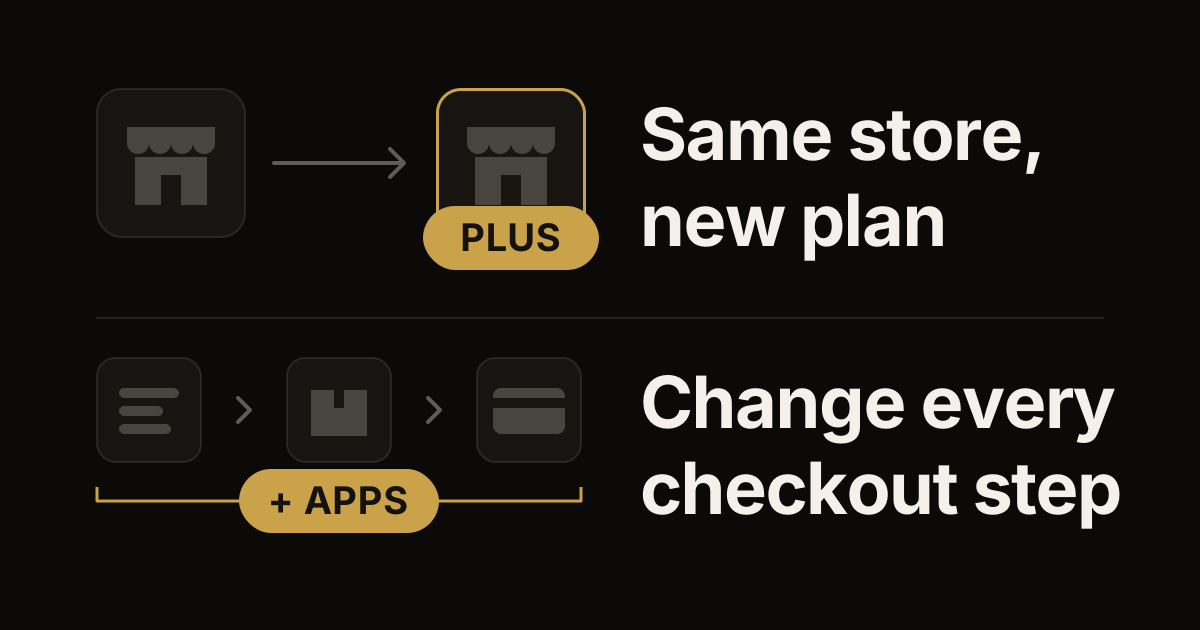
Functions are not a one-to-one replacement. They work differently. Each one is WebAssembly (Wasm) code that Shopify runs walled off in a sandbox, once per request. It must take in and hand back data in a fixed shape. Functions can do more than Scripts could, and the traps are different. We have shipped 20+ Discount Functions in production over the last two years. This is the deep dive on what they actually do, where the bugs live, and how to test them so they don't break in production.
Why Script Editor died and what replaced it
Script Editor was a Ruby DSL, a small programming language built on Ruby, that ran on Shopify's servers as part of the checkout pipeline. It worked — for years — but it had two structural problems that Functions solves.
The first was version control. Scripts lived in the Shopify admin UI as text fields with a basic editor. There was no git (version control) integration, no review workflow, no rollback beyond manual copy-paste. Production stores running real money through Scripts had no audit trail beyond Shopify's internal change log.
The second was performance and scaling. Scripts ran on Shopify's shared Ruby infrastructure with no per-merchant isolation. A misbehaving Script (an infinite loop, a runaway condition) could degrade the cart-load time for the merchant's checkout. Shopify limited the CPU and memory a Script could use, depending on the size of the cart and the calculations it needed, but the granularity of monitoring was poor.
Functions solve both. Functions are deployed via the Shopify CLI, Shopify's command-line tool, or a custom CI pipeline (an automated build), from a git repository. They compile to WebAssembly and run in a per-merchant sandbox. Each run is capped at 11 million instructions for carts with up to 200 line items (more for larger carts) and 10,000 kB of linear memory, and the compiled module must stay under 256 kB — strict enough that bugs surface in development, not production. The deployment artifact is the .wasm binary plus a JSON metadata file (JSON is a structured text format), both versioned together.
Migration from Scripts to Functions is mostly mechanical: identify each Script, document its logic, and rebuild the equivalent in JavaScript or Rust.
Discount Function vs automatic discount vs price rule
Three discount mechanisms exist on Shopify Plus, and choosing the wrong one wastes weeks.
Automatic discounts are configured in the Shopify admin. They take a fixed shape — percentage off, fixed amount off, free shipping, BOGO with the specific Shopify-defined "Buy X get Y" template — and apply automatically when the cart matches the rule. Use these when the discount logic fits the templates. They cost zero engineering effort and they integrate cleanly with Shopify's reporting.
Price rules are the older API for the same thing. Some apps still use them. They belong to the REST Admin API, which Shopify made legacy on October 1, 2024. Since April 1, 2025, new public apps must use the GraphQL Admin API, the interface apps use to manage a store, and its discount types are meant to replace price rules.
Discount Functions are the escape hatch. Use these when the logic doesn't fit a template. Custom BOGO with complex eligibility (only on certain collections, only above a cart threshold, only for specific customer tags). Tiered pricing where the discount changes by line quantity. Bundle logic with mix-and-match items. Spend-X-get-Y with multiple gift options. The Functions API gives you arbitrary logic — at the cost of having to write, test, and maintain the code.
The decision rule we use: if it fits an automatic discount template, use that. If it doesn't, write a Function. Don't try to bend the templates with creative naming and hope it works — it won't.
The Function input/output contract
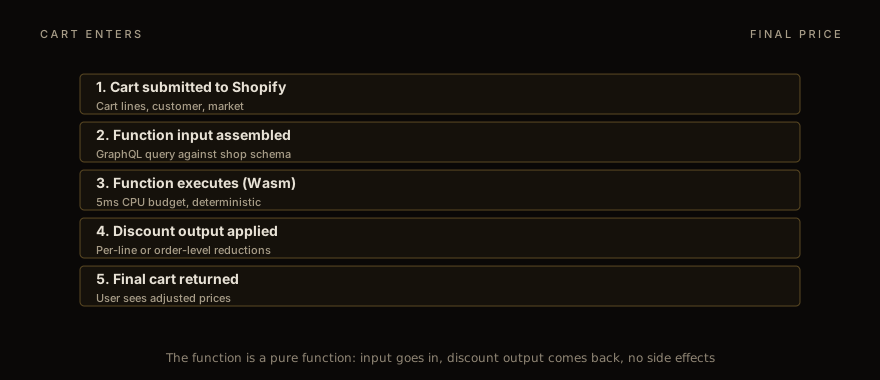
Every Discount Function gets the same shape of input. A GraphQL query (GraphQL is the query language Shopify's APIs use) against the cart, customer, and shop context. The query is defined in your Function project, one file per target (a target is the point in checkout where Shopify runs your code), such as src/cart_lines_discounts_generate_run.graphql, and Shopify expands it into a JSON object passed to your Wasm binary at runtime.
The output is also a fixed shape. The cart.lines.discounts.generate.run target returns a CartLinesDiscountsGenerateRunResult: a list of operations (instructions to Shopify), such as productDiscountsAdd for discounts on cart lines or orderDiscountsAdd for a discount on the order subtotal. Each of these discount operations holds its candidates, the discounts on offer, each with its targets and a percentage or fixed-amount value, and a selectionStrategy that decides which of them apply. Shipping discounts come from a second target, cart.delivery-options.discounts.generate.run, as a deliveryDiscountsAdd operation. A function should return operations only for the discount classes (product, order, shipping) its discount has, which are set when the discount is created. The shape is documented in the Discount Function reference, which also maps the deprecated Product and Order Discount APIs to it: their FunctionRunResult returned a discounts array and a discountApplicationStrategy.
The trap is in the input. The Function input is whatever your GraphQL query asks for. Forget to query a field, and your function can't see it. Query a field that isn't in the schema, a typo for example, and the build fails. The Shopify CLI catches schema mismatches at deploy time, but not at runtime — meaning an input field that's null because the cart has an empty value behaves differently from an input field that's null because you didn't query it.
Best practice: write fixture cart inputs, saved sample carts, in your test suite that exercise the empty/null/missing cases. We use a vitest (JavaScript test tool) harness that loads JSON fixtures and asserts on the function's output for each case. A typical Function has 8-15 fixture cases by the time it ships.
// describe the cart input shape Shopify sends
import { cartLinesDiscountsGenerateRun } from './src/cart_lines_discounts_generate_run';
import { cartFixture } from './fixtures/cart';

test('BOGO: 2 eligible → 1 discounted', () => {
  const input = cartFixture({
    lines: [shoes(), shoes()],
  });
  const out = cartLinesDiscountsGenerateRun(input);
  const { candidates } = out.operations[0].productDiscountsAdd;
  expect(candidates).toHaveLength(1);
  expect(candidates[0].value.percentage.value).toBe(100);
});
With vitest and JSON fixtures, a test cycle takes 50ms, against 30 seconds with the Shopify CLI.
BOGO: the obvious approach + 3 traps
"Buy one, get one free" sounds trivial. The naive implementation: if the cart has 2+ of the eligible product, apply a 100% discount to one of them. This breaks in three predictable ways.
The first trap is pricing inheritance across variants. If the eligible product has variants at different prices ($30 small, $50 large), and the cart has one small and one large, which one gets the discount? The fairness instinct says "the cheaper one" so the customer gets the better deal. When the customer buys and gets the same product, Shopify's built-in Buy X get Y discount gives the discount to the lower-priced item. The Function has to make an explicit choice. We always default to discounting the cheaper line; merchants always confirm this when asked.
The second trap is eligible-quantity counting. If the rule is "buy 2, get 1 free" (a BOGO on sets of 3), and the cart has 6 of the product, what's the right answer? The customer expects "buy 4, get 2 free": two full sets of three. The naive code applies the discount to one item and stops. The correct code counts full sets: free items = quantity ÷ 3, rounded down (floor(quantity / 3)), so 6 items get 2 free and 5 items get 1. This is the most common BOGO bug we see in production: the discount applies once even when the cart qualifies for multiple instances.
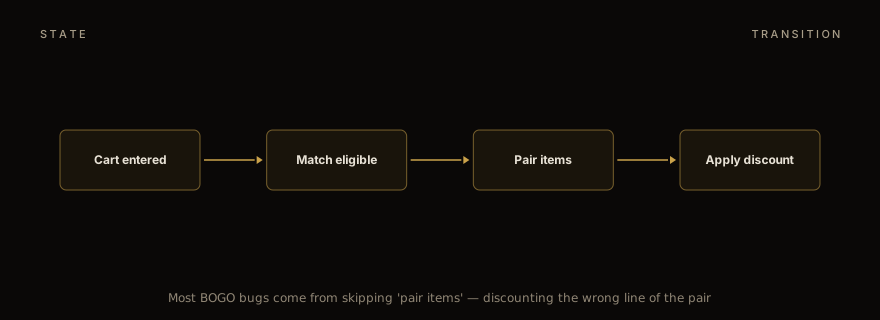
The third trap is discount stacking with other discounts. If the customer has a 10% off code applied AND the BOGO triggers AND the customer buys from a B2B catalog (special prices for business buyers), which discounts apply? Your function can't settle that alone: discount functions run at the same time and can't see each other. Your function's selectionStrategy only chooses among its own candidates: FIRST, MAXIMUM or ALL for product discounts, FIRST or MAXIMUM for order discounts, and only ALL for shipping discounts. Whether the BOGO stacks with the 10% code is set on each discount, in its combinesWith setting: the discount classes it can combine with. And by default only one product discount applies to a cart line. Get this wrong and customers either get less than promised (bad PR) or more than promised (margin disaster).
Tiered pricing: per-line vs per-cart
Volume discounts come in two flavors that look the same to merchants but behave differently in code.
Per-line tiered pricing applies the discount to each line based on the line's own quantity. "10% off when you buy 5+ of any single SKU" (a SKU is the stock code of one product variant) is a per-line rule. The Function iterates lines, checks each line's quantity, applies the tier if hit. Easy.
Per-cart tiered pricing applies based on the total cart quantity or value. "10% off when your cart has 10+ items total, regardless of SKU" is a per-cart rule. The Function aggregates first, then applies the discount across all eligible lines. Trickier — the discount target is "all lines" not "this line", and the value distribution across lines matters for line-level reporting.
The trap with per-cart is the discount value. If the rule is "10% off the cart" and the cart total is $100, the discount value is $10. But applied to which lines, in what proportion? Shopify's default is to distribute the discount proportionally across lines by value. The Function has to either accept this or override it with explicit per-line targets.
For most B2B pricing, per-line is the right model — the volume threshold is per-SKU because the merchant cares about moving inventory of specific items. For most consumer promotions, per-cart is the right model. The merchant always says "tiered pricing" without specifying which; the Function author has to ask.
Bundle logic and mix-and-match
Bundles get their own bullet points because they have three sub-patterns.
Fixed bundles: "buy items A + B + C together for $X". The Function checks if all three are in the cart with quantity ≥ 1, computes the bundle price, and emits a discount equal to (sum of line prices) − (bundle price). Easy.
Mix-and-match: "any 3 items from collection X for $Y". The Function counts qualifying items, groups them into 3-packs, applies the bundle price to each pack. The leftover (cart has 7 qualifying items → 2 packs of 3 + 1 leftover at full price) needs explicit handling.
Build-your-own: "configure a 6-pack from these 12 options". This is structurally similar to mix-and-match but the logic depends on whether the customer can include duplicates. Most BYO bundles allow duplicates (3 of one variant + 3 of another); some don't. Always ask.
The bundle gotcha across all three patterns: inventory accounting. A bundle that sells 3 separate SKUs as a unit needs to deplete inventory of all three. Shopify Functions don't directly modify inventory — that happens through the order pipeline — but the cart-level discount has to match the inventory commitment that fulfillment expects. Coordinate with the fulfillment team early. We have seen bundles ship with the wrong line composition because the discount logic and the fulfillment logic were built by different teams.
Composing discounts: the cap pattern
Real-world discount logic often involves multiple discounts that should compose carefully. A 10% loyalty discount should compose with a one-time promo code; a BOGO should not double-dip with a percentage-off discount on the same items.
The Shopify pattern for this is the discount's combinesWith setting — a discount declares which other discount classes (product, order and shipping) it can combine with. Set the combination rules at the discount level, not the function level. Shopify's discount engine handles the actual composition.
The cap pattern is what we apply on top: a cap on how much our own function takes off any one line. Discount functions can't see each other, so the cap only limits this function's discount; whether other discounts also apply to the line is set in combinesWith. We typically set 80% as the max; merchants can override per-product if they want to allow 100%-off scenarios.
Testing: vitest + fixtures
The Shopify CLI provides a shopify app function run command that runs the function you've already built against a JSON input file. Useful for smoke testing. Slow for iteration: every change needs a build and then a CLI run before you see a result.
Our actual workflow is vitest. The Function's cartLinesDiscountsGenerateRun function (the entry point for cart line and order discounts) is exported as a pure JS function. The vitest harness imports it directly, calls it with cart fixtures, and asserts on the output. 50ms per test, hundreds per second, full debugger support. The Wasm compilation is only relevant at deploy time, not during development.
A typical Function has these vitest test groups:
Eligibility: cart matches rule → discount fires; cart doesn't match → no discount.
Quantity logic: BOGO on 2 items → 1 discount; BOGO on 5 items → 2 discounts (with 1 leftover); BOGO on 0 items → no discount.
Edge cases: empty cart, single line, deleted product, customer not logged in, B2B catalog prices active.
Combination rules: with another discount active → composes correctly; with conflicting discount → declines per combination rules.
Numeric precision: all discount values are integers (cents); never round mid-calculation; assert exact values, not approximate.
The fifth — numeric precision — is the bug that survives migration most often. JavaScript number arithmetic produces floats, decimal numbers that can carry tiny rounding errors; Shopify's discount values must be integers. Multiply prices by 100 at the start, do the math in cents, divide at the end. Or use a decimal library. Either way, never .toFixed(2) your way out of a rounding error.
Deployment and merchant configuration
Deploying a Function: shopify app deploy. The CLI compiles the Wasm, uploads the metadata, registers the function with Shopify Functions API, and creates and releases an app version that includes it. The discount itself is created separately: by the merchant, from your app's discount type in the Shopify admin, or by your app with the discountAutomaticAppCreate mutation, which also sets its discount classes.
Merchant-facing configuration is the underrated part. The discount in the admin needs a UI for the merchant to configure variables — eligibility thresholds, tier breakpoints, gift options. The Function reads these from discount.metafield queries (a metafield is a custom field Shopify stores). Build the metafield UI in your app (typically a Polaris React component, built with Shopify's admin design system, on a dedicated app page), validate inputs there, and let the Function trust the metafield values.
The trap is metafield namespacing, the prefix that keeps one app's settings apart from another's. Keep your Function's config in your app's reserved namespace, $app, which belongs to your app alone. A non-reserved namespace such as custom is shared across all apps, so if two discount apps keep their config under the same name there, one Function can read the other app's config, and the discount fires (or doesn't) in unexpected ways. Those conflicts fail silently.
For the language choice — JavaScript or Rust — the Rust Functions tutorial covers when Rust pays off. Most Discount Functions are simple enough that JS is the right choice; the rare cases where the function gets complex (heavy iteration over cart lines, intricate combination logic) benefit from Rust's performance ceiling. The output format is identical either way.
For the B2B-specific patterns built on top of Discount Functions, see the B2B checkout extensions guide. Per-account pricing, Net-30 terms, and PO field validation interact with the discount layer in ways the consumer-side discount logic doesn't.
If you still need to replace your Scripts and want help scoping the Functions rebuild, talk to us. We have done these for merchants with 1-3 simple Scripts (typically 2-3 weeks of work) and merchants with 15+ Scripts encoding complex B2B pricing rules (4-6 month projects). The discovery is the same regardless: enumerate the Scripts, document the behavior, prioritize by revenue dependency, build and test in vitest, deploy in batches. The full engagement scope sits under app development services.
Work with us
Thinking about your next Shopify project?
We build and migrate Shopify stores for brands that care about performance. If this article sparked something, tell us what you’re working on.
Start a conversation